1
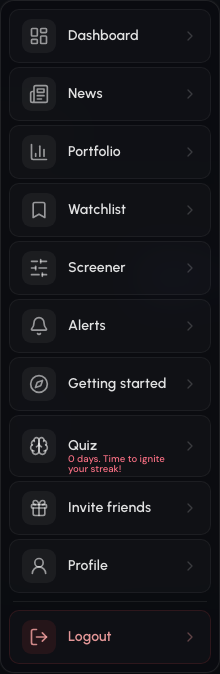
Open “Invite friends” from the menu
Every signed-in account has the Invite friends page in the main menu.
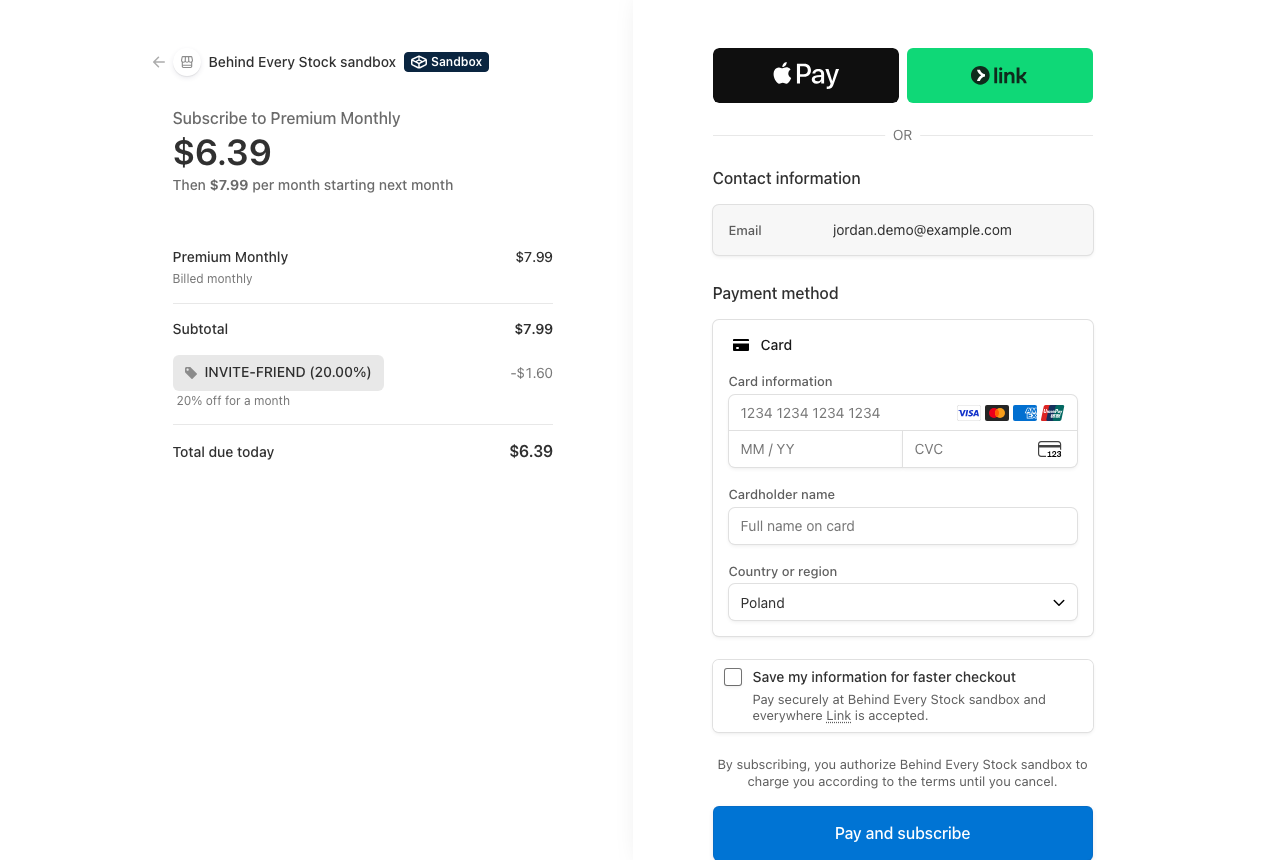
Your friend gets 20% off. You get a free month for every month they pay.
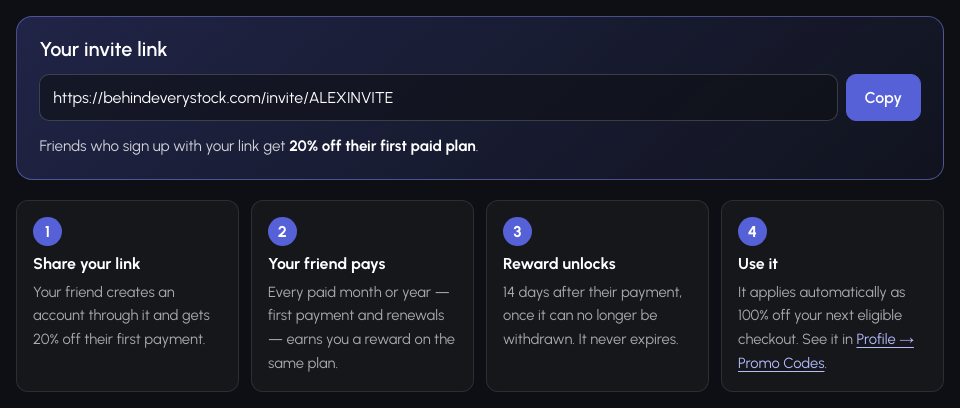
Every account has a personal invite link. A friend who signs up with it gets 20% off their first paid plan, and for every month or year your friend pays for, you get the same period free on the same plan — no limit on friends, and your free periods never expire.
Screenshots use fictional accounts and fictional friends. No real customer data is shown.
Your personal link appears on the “Invite friends” page as soon as you sign up.
Your side (the inviter)
Every signed-in account has the Invite friends page in the main menu.
Your link is created automatically. Copy it with one click and send it to friends, post it in a group chat or share it however you like.
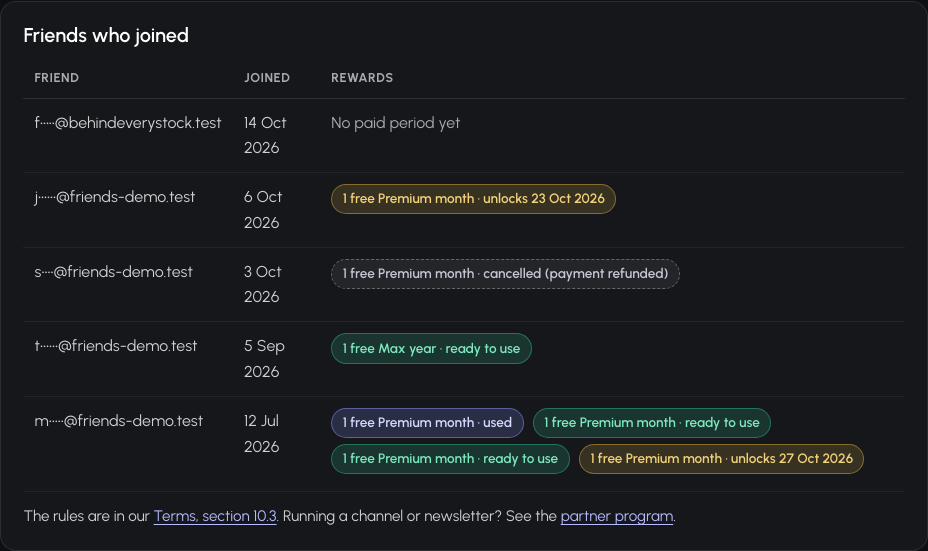
Every friend who signs up with your link is listed (with a masked e-mail), together with one reward per period they paid for and its state:
unlocks … until the friend's 14 days have passed, ready to use, used, or cancelled if the friend got a refund.
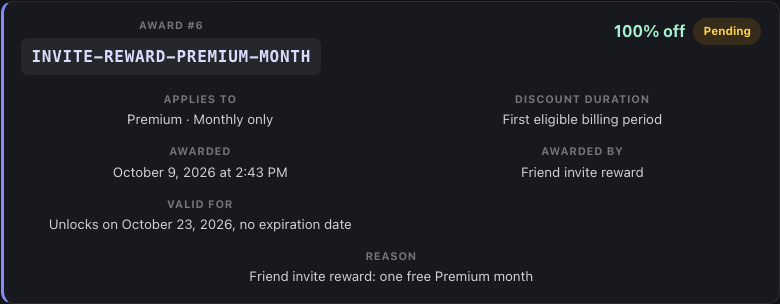
Each reward is a 100% promo award for the friend's plan and billing interval. It shows as Pending with its unlock date, then Available. It never expires.
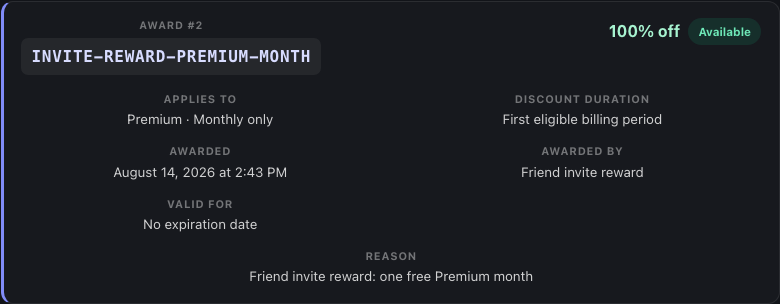
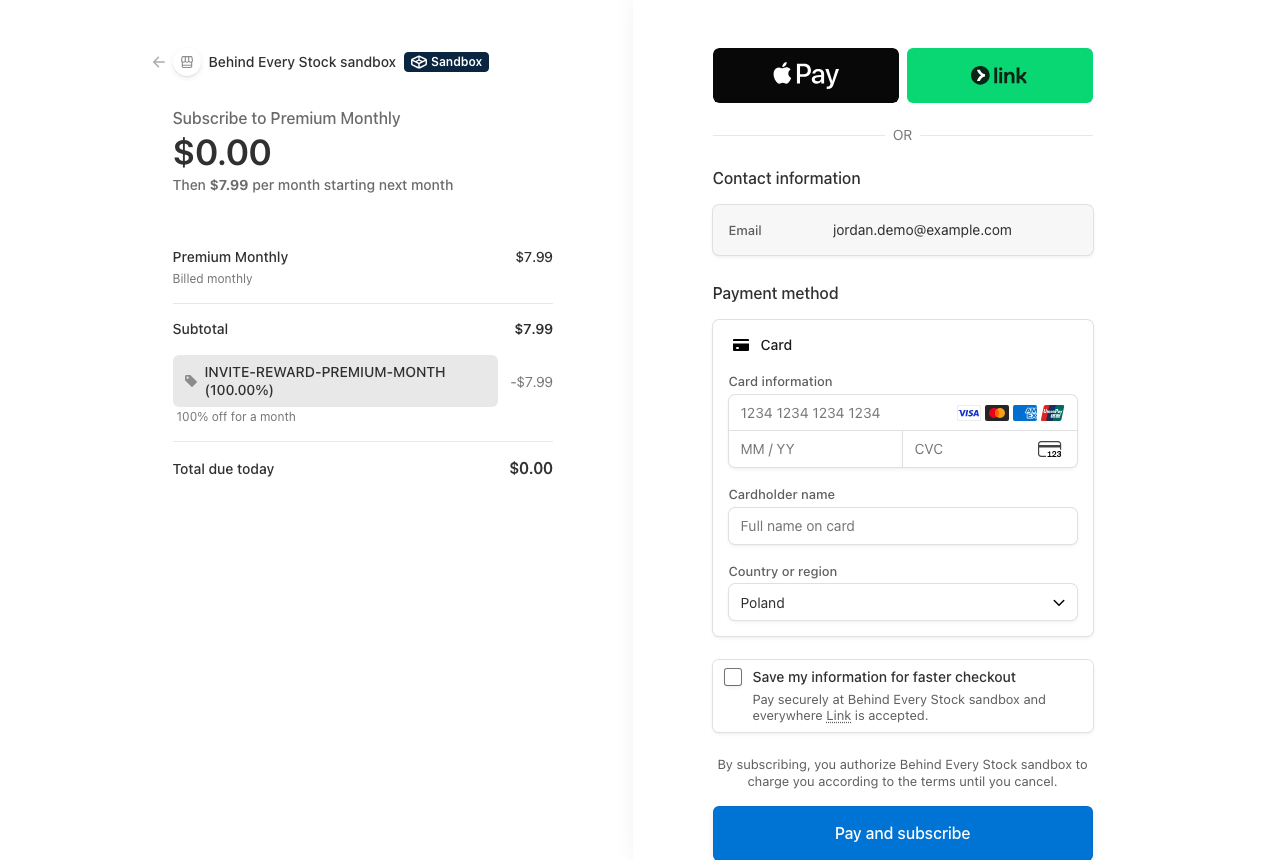
When you choose the matching plan, the reward is applied automatically — the total due is $0.00. If you hold several rewards, the oldest one is used first, one per payment.
Your friend's side
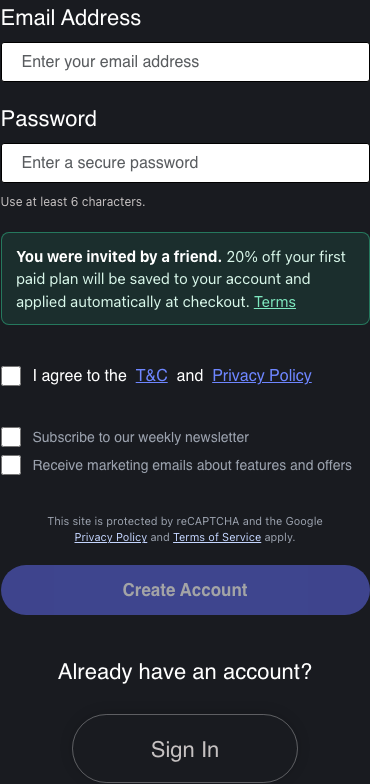
The link opens the sign-up page with a note that they were invited and what they get.
It appears in their Profile → Promo Codes, ready for their first paid plan, monthly or yearly.
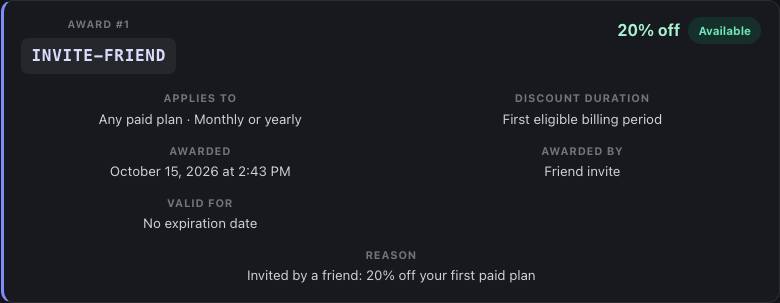
There is nothing to type: the discount is applied automatically when they subscribe. Their payment is what earns you your reward.
| Rule | What it means |
|---|---|
| One reward per paid period | Each month or year your friend pays for — their first payment and every renewal — earns you one free period. Upgrade charges and payments fully covered by a discount do not count. |
| Same plan, same interval | A friend's paid Premium month earns you a free Premium month; a friend's paid Max year earns you a free Max year. |
| Unlocks after 14 days | A reward becomes usable 14 days after your friend's payment, once that payment can no longer be withdrawn. |
| Never expires | Unlocked rewards have no expiration date. |
| Refunds cancel unused rewards | If your friend's payment is refunded before you use the reward, the reward is cancelled. |
| Applied at checkout | Rewards apply automatically to your next checkout or plan upgrade on the matching plan, one per payment, oldest first. They do not reduce renewals of a subscription that is already running. |
| No limit, no cash | Invite as many friends as you like. Rewards have no cash value and cannot be transferred. |
| One account per person | Inviting yourself, duplicate or fake accounts are not allowed and their rewards can be withdrawn. |
The binding rules are in our Terms, section 10.3 (User Referral Program).
| Friend's payment | Friend pays | You get | Unlocks |
|---|---|---|---|
| Month 1 (first payment) | $6.39 | 1 free Premium month | 14 days after the payment |
| Month 2 (renewal) | $7.99 | 1 free Premium month | 14 days after the payment |
| Month 3 (renewal) | $7.99 | 1 free Premium month | 14 days after the payment |
| Month 4 (renewal) | $7.99 | 1 free Premium month | 14 days after the payment |
| Month 5 (renewal) | $7.99 | 1 free Premium month | 14 days after the payment |
| Month 6 (renewal) | $7.99 | 1 free Premium month | 14 days after the payment |
| After 6 months of your friend's subscription | 6 free months (worth $47.94) | ||
Sign in and open “Invite friends” from the main menu. Your link is created the first time you open the page.
No. Only accounts created through your link count, and a friend can be linked to one inviter only.
Rewards unlock 14 days after your friend's payment, once it can no longer be withdrawn. The unlock date is shown on the reward.
Rewards are applied to your next checkout or plan upgrade on the matching plan. They do not reduce the automatic renewals of a subscription that is already running.
They see that they were invited by a friend. You see your friends only by a masked e-mail address.
Your personal link appears on the “Invite friends” page as soon as you sign up.
Run a newsletter, channel or community? Become a partner and earn commission instead.
